How to use AI for replies without sounding like AI
October 13, 2026 · 9 min read
People can spot an AI reply in a second. It is not because AI is bad at writing. It is because most tools write the same reply for everyone: polite, upbeat and forgettable. The good news is that the fix is mostly about what you give the AI, not which AI you use.
The giveaways
These patterns show up in AI replies again and again. Once you know them, you see them everywhere.
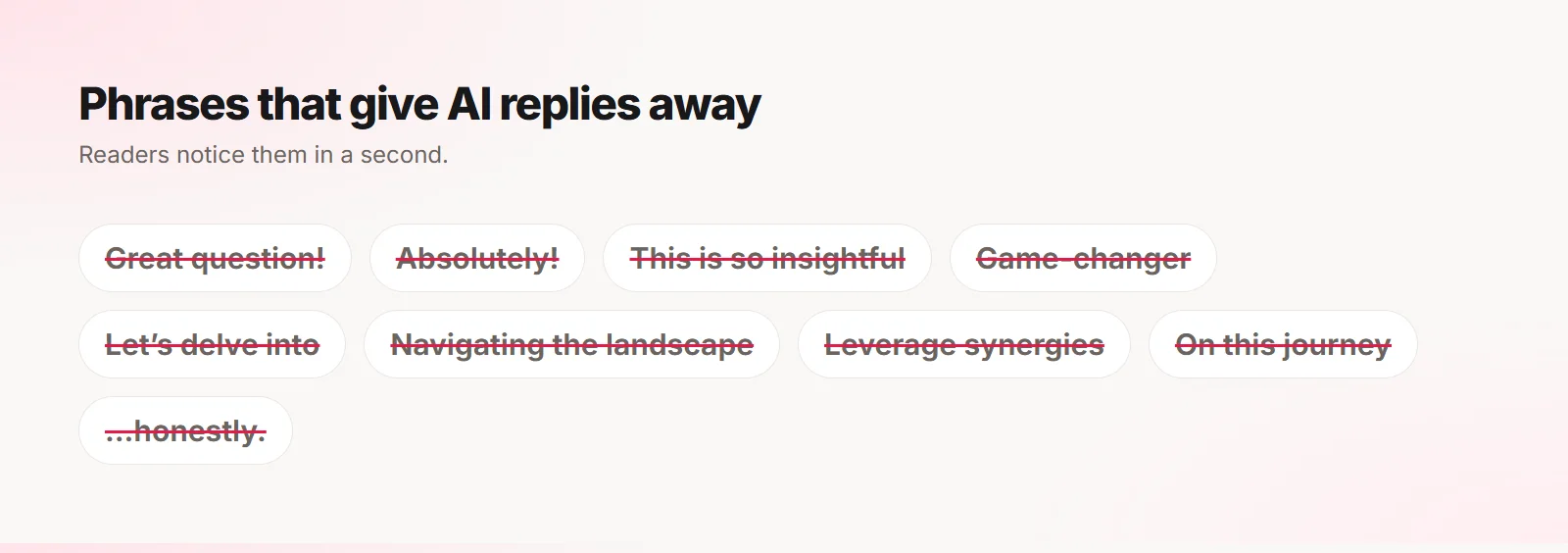
- Stock openers: "Great question!", "Absolutely!", "This is so insightful!"
- Buzzwords: leverage, delve, game-changer, journey, landscape
- Em dashes everywhere and three-part lists in every sentence
- Fake enthusiasm and emojis the person never uses
- The same filler word in every reply, like "honestly" or "literally"
Why AI replies sound generic
A general chatbot has never seen how you write. When you paste a post and ask for a reply, it falls back to the average of everything it has read: safe, enthusiastic and vague.
It also does not know the thread, who you are, or what you said to this person last week. So it writes a reply that could have been written by anyone, to anyone.
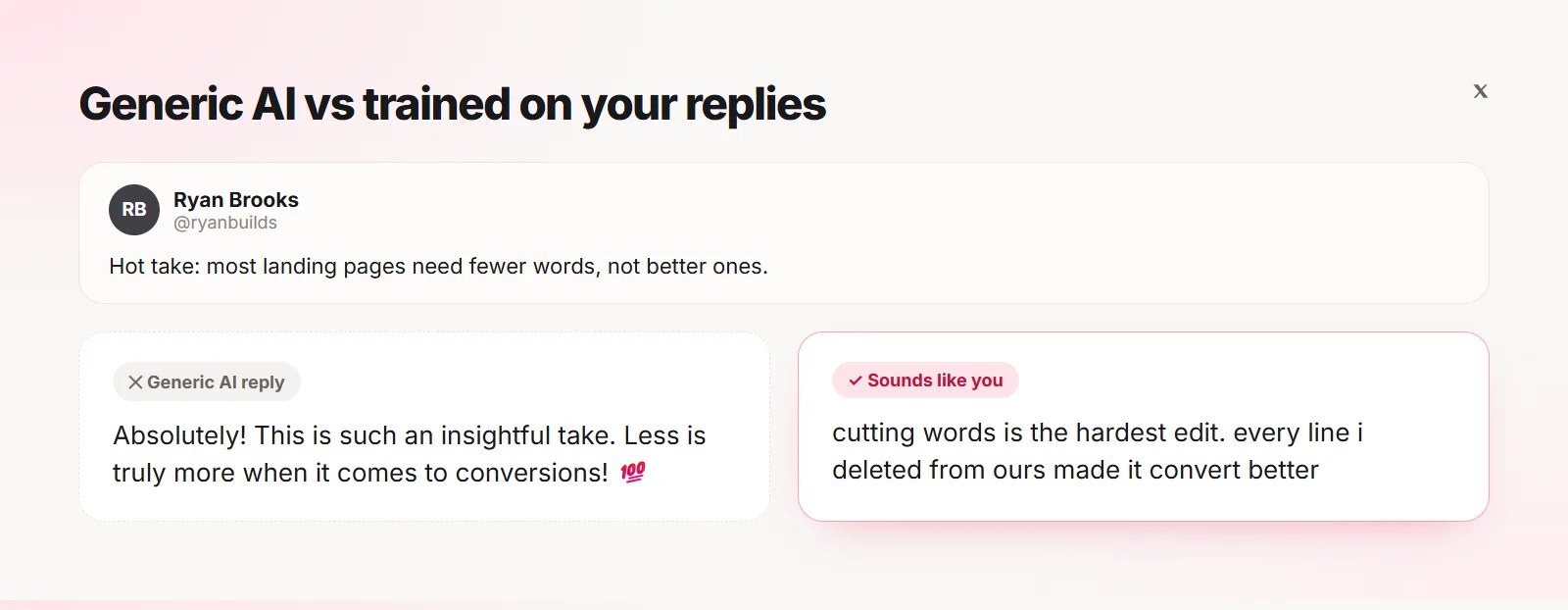
See the difference
The second reply is not "better English". It is closer to how this particular person writes: lowercase, no exclamation marks, one concrete detail. That is what makes it believable.
Give the AI your real writing
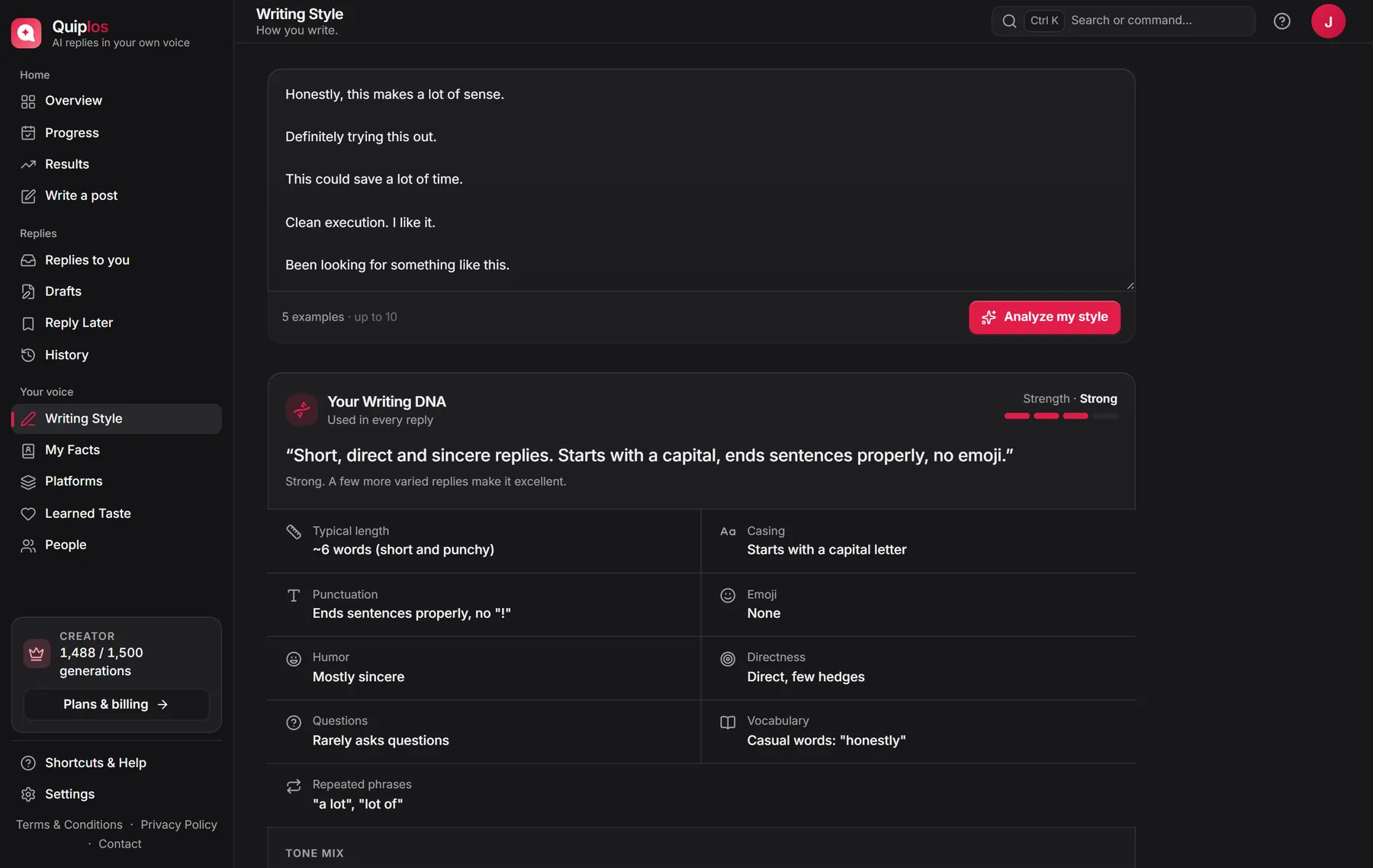
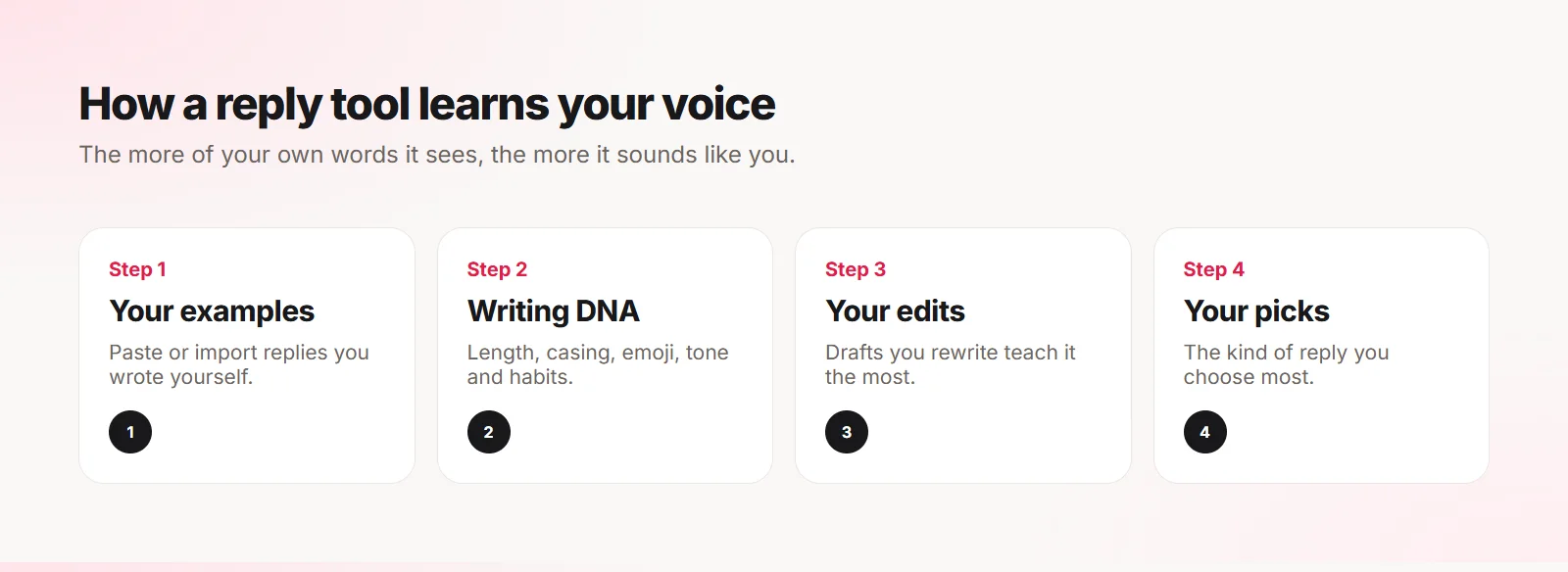
The single biggest improvement is examples. Five to ten replies you actually wrote teach length, casing, punctuation, emoji habits and tone far better than any instruction like "be casual".
Use replies you wrote yourself, not AI drafts. If the examples are generic, the output will be generic too. Mix them: a short one, a longer one, a question, a disagreement, one about your own experience.
How a good tool keeps learning
Examples are the start. The strongest signal comes later, from what you change. When you shorten a draft, remove an emoji or rewrite the first line, that edit says more about your voice than any setting.
Which reply you pick matters too. If you keep choosing the short, direct one, a good tool should lean that way next time.
Always edit before posting
Treat AI output as a draft. Change a word, add a detail only you know, cut what you would not say. It takes ten seconds and it is the difference between "AI wrote this" and "I wrote this with help".
Tip Read the reply out loud. If you would not say it to the author’s face, change it.
Watch for repetition across replies
Even good replies become a pattern if every one starts the same way or ends with the same word. Look at your last ten replies together once in a while. If you see a tic, break it.
How Quiplos approaches it
- Writing DNA: learns from replies you paste or import from your X or LinkedIn history
- Living Voice: learns from AI drafts you rewrite, and not from drafts you used unchanged
- Learned taste: notices which kind of reply you pick most
- A quality check that retries when replies use stock AI phrasing, repeat each other or overuse a filler word
- It never posts for you: every reply is yours to edit and send
Frequently asked questions
Will people know I used AI?
Not if the reply is specific, sounds like you and you edit it. People notice generic phrasing, not the tool behind it.
How many examples does the AI need?
Three is a start, five to ten is much better. Variety matters more than volume.
Does Quiplos train AI models on my replies?
No. Your examples are used to write your replies and are never used to train AI models.
Quiplos learns your style and writes three replies under any post on X and LinkedIn. You always pick, edit and post.
Try Quiplos free