What to comment on a new job or promotion post on LinkedIn
October 15, 2026 · 7 min read
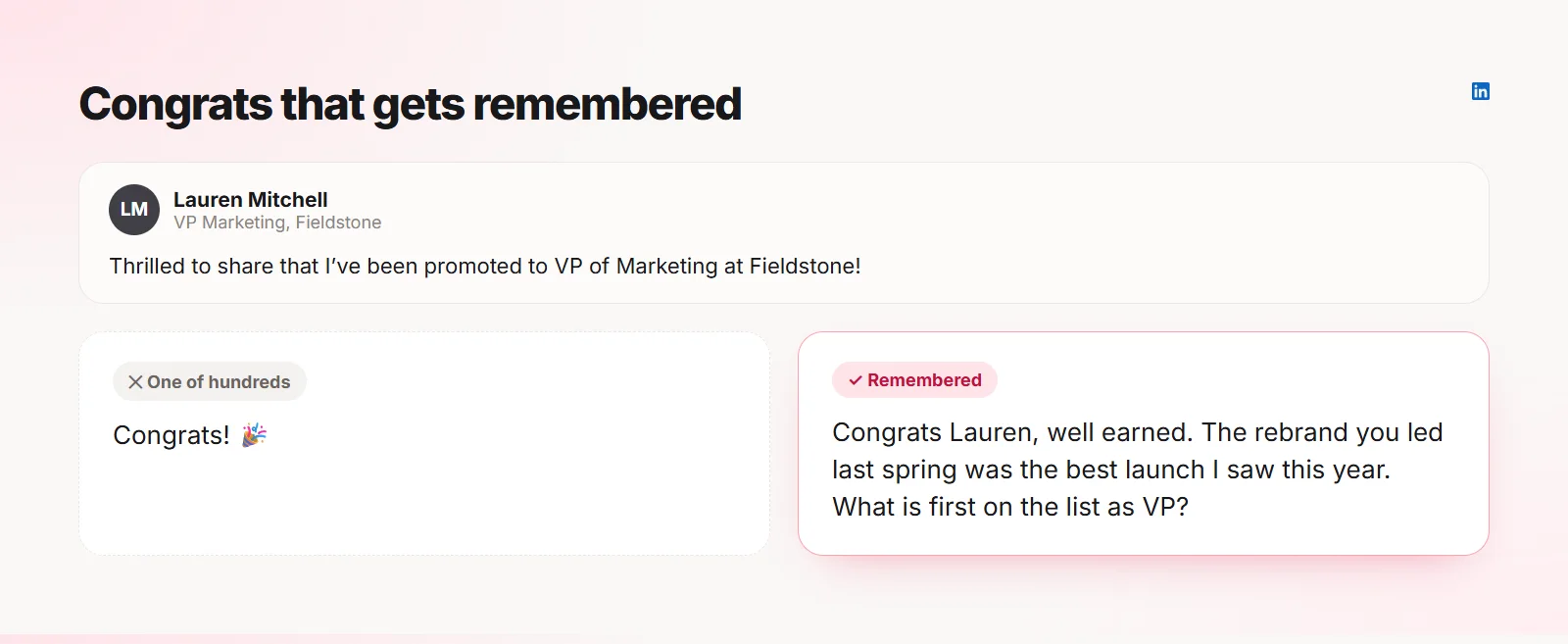
New job and promotion posts are some of the most commented posts on LinkedIn. Most of those comments are a single "Congrats!", which is kind but forgettable. A comment that mentions something specific about the person stands out, strengthens the relationship and takes about twenty seconds to write.
Why a better congrats matters
When someone announces a new role, they read every comment, often more than once. A specific comment tells them you noticed their work, not just the notification.
It is also seen by their network: their new colleagues, their old team and people in their industry. A warm, thoughtful comment is a small but real introduction to all of them.
See the difference
The three-part congratulations
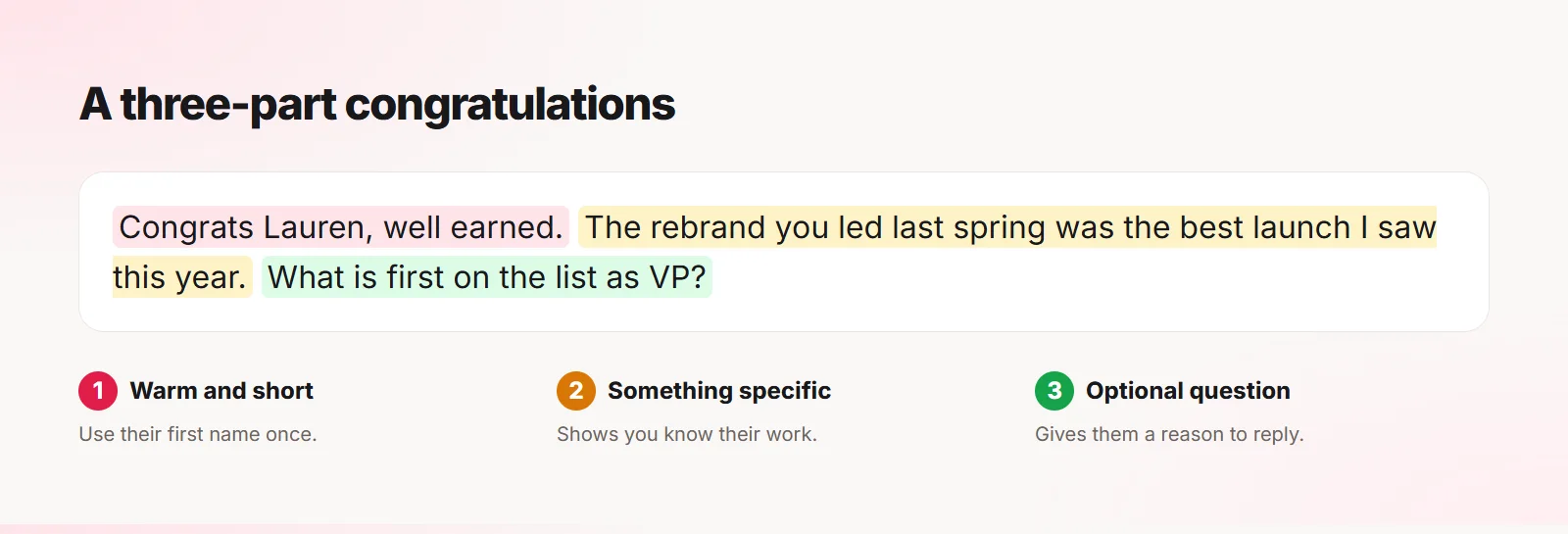
- Start warm: their first name and a short congrats.
- Add something specific: a project they led, a post you liked, a skill they are known for.
- Optionally, ask a light question about what comes next.
If you do not know them well
You do not need a shared history. Look at the post itself: the company they joined, the team, what they said they are excited about. Mention that.
For example: "Congrats Mark. Joining the platform team right as they rebuild payments sounds like perfect timing. Good luck in the first month."
More examples to adapt
Congrats Priya, they are lucky to have you. Nobody ran a launch checklist like you did. Coffee when you have settled in?
For a promotion
Well deserved, Kevin. The way you grew the support team last year made this feel inevitable. What is the first thing you want to change?
For someone starting their first job
Congrats Olivia! Your posts about learning SQL from scratch were great to follow. Enjoy the first week and ask all the questions.
What to avoid
- Only "Congrats!" or an emoji, if you want to be remembered
- Asking for a referral or a job in the comments
- Pitching your product or service
- Making it about yourself ("I also got promoted last year...")
- Long paragraphs; two or three sentences is plenty
Follow up later
The comment opens the door. If you want to build the relationship, send a short message a few weeks later asking how the new role is going. That is often where real connections start.
Quiplos can draft these comments in your voice from the post, using only facts you added in My Facts. It never posts for you, so you always check the details before you hit Post.
Frequently asked questions
Is a simple "Congratulations" comment rude?
Not at all. It is just easy to miss. Adding one specific line makes it far more memorable.
Should I comment or send a message?
Either works. A comment is public and also seen by their network; a message feels more personal. Doing both for close contacts is nice.
How fast should I comment?
Within a day or two is ideal, while the post is still active.
Quiplos learns your style and writes three replies under any post on X and LinkedIn. You always pick, edit and post.
Try Quiplos free